Contact Us
- 0904.634.288, 024.8888.4288
- [email protected]
- Facebook Fanpage: http://fb.com/dauthau.info
- Messenger: http://m.me/dauthau.info

![[VIDEO] Guide to Creating a Contractor Capability Profile (Business Profile) on the New National Online Bidding System](/uploads/news/2023_11/video-instructions-for-creating-contractor-capacity-profiles-on-the-new-national-bidding-network-system.jpg)
Nhấn VÀO ĐÂY để chuyển bài viết sang bản tin tiếng Việt
Below is a video guide on how to register a contractor account on the new National Online Bidding System. Let's check it out!
Video Guide to Creating a Contractor Capability Profile on the New National Online Bidding System (Source: National Online Bidding System)
Creating a contractor capacity profile on the new National Bidding Network System includes 5 parts:
General information of contractors/investors
Financial capacity
The contract has been/is being implemented
Key personnel
Construction equipment
To create a contractor capacity profile on the new National Bidding Network System, contractors follow these steps:
Step 1: User logs into the National Online Bidding System at https://muasamcong.mpi.gov.vn => Select Personal Information ⇒ Contractor Information ⇒ Create Capability Profile.
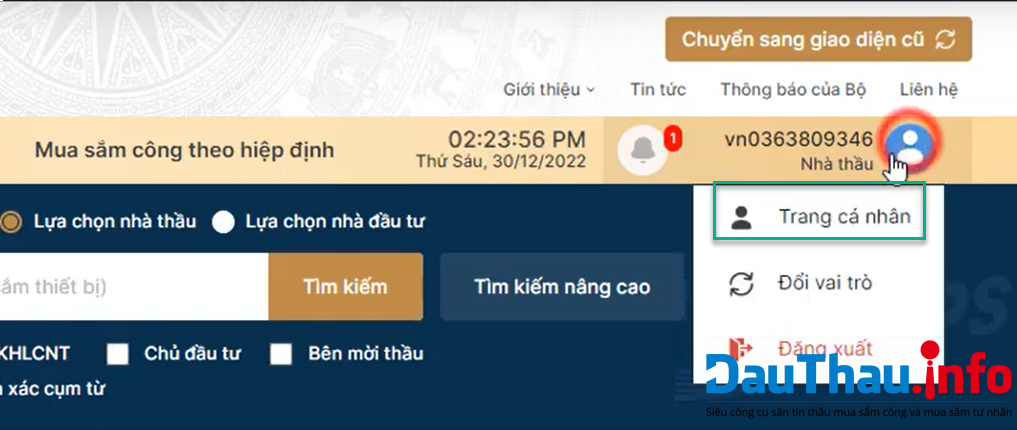
Image 1: Accessing the capability profile creation page
Step 2: Select General Information about Contractor, Investor ⇒ Enter Information ⇒ Click Save to store the information. Here, users can also edit, add, delete entered data. Additionally, users can select Export PDF to export all data on the screen for review ⇒ Confirm.
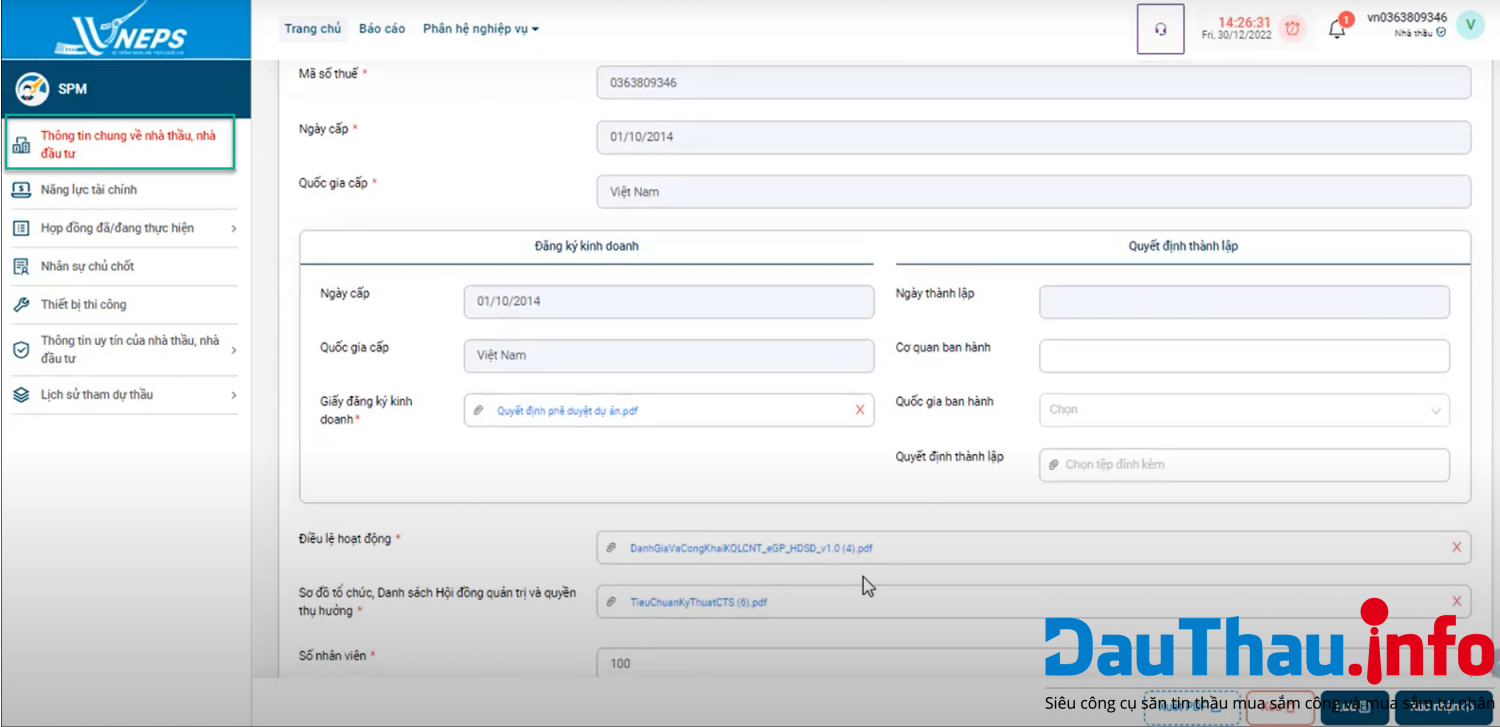
Image 2: Entering general information about the contractor, investor
In the Capability Profile subsystem ⇒ Financial Capability. Here, users can declare or retrieve data from the business registration system.
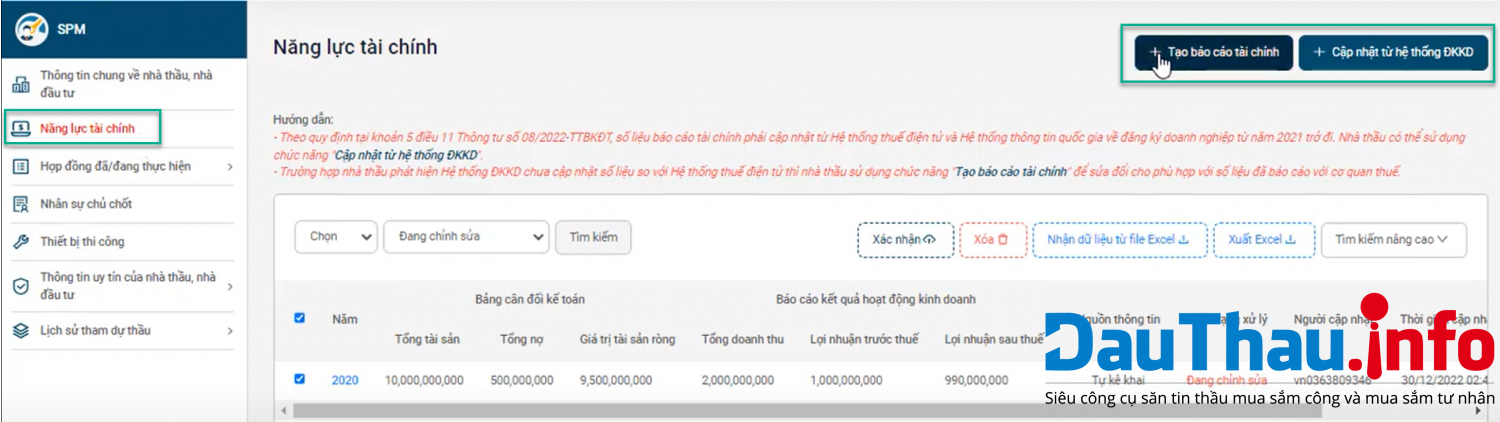
Image 3: Financial Capability
Step 1: In the Capability Profile subsystem ⇒ Contracts Already/Currently Executing ⇒ Contracts in the Fields of contractor selection
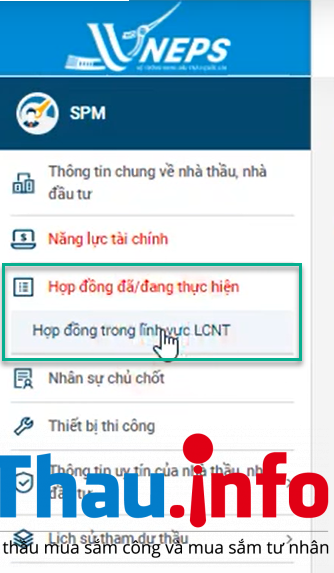
Image 4: Contracts Already/Currently Executing
Step 2: Choose to Publish Contract Information ⇒ Enter General Contractor Selection Contract Information ⇒ Enter various information ⇒ Save ⇒ Confirm completion.
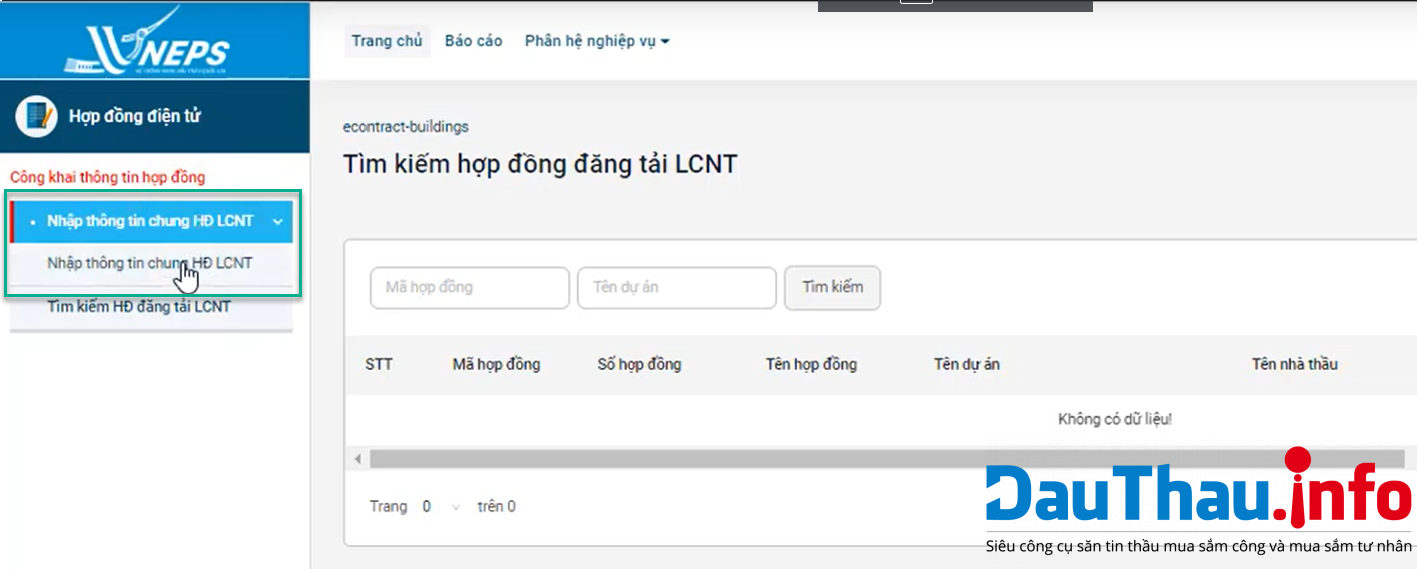
Image 5: Entering General Contractor Selection Contract Information
In the Capability Profile subsystem ⇒ Key Personnel ⇒ Add Company Staff/Outsourced Personnel ⇒ Enter Information ⇒ Save ⇒ Confirm.
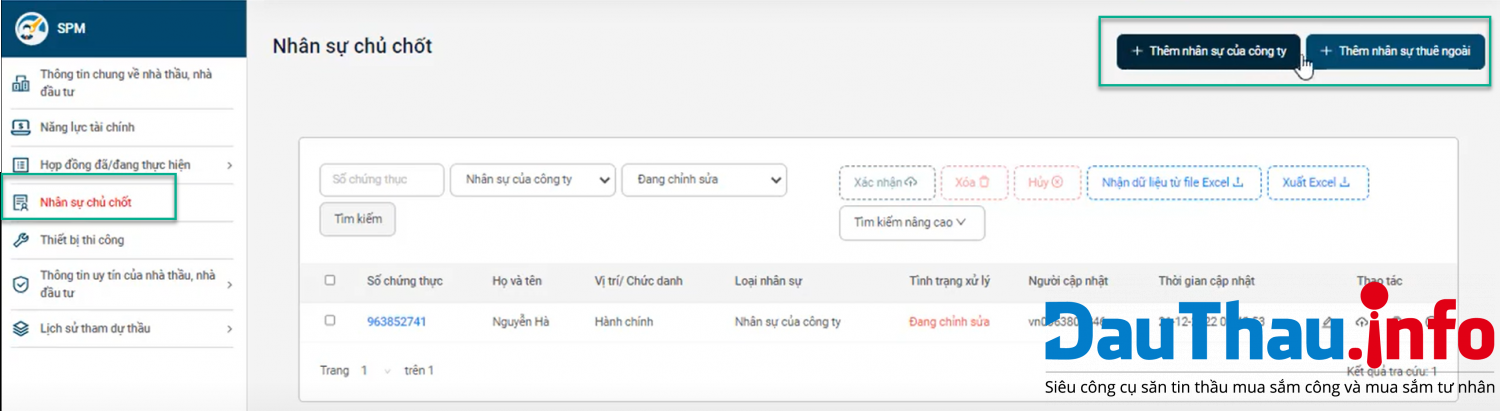
Image 6: Key Personnel
In the Capability Profile subsystem ⇒ Construction Equipment ⇒ Add Equipment Owned by the Contractor ⇒ Enter Information ⇒ Save ⇒ Confirm.
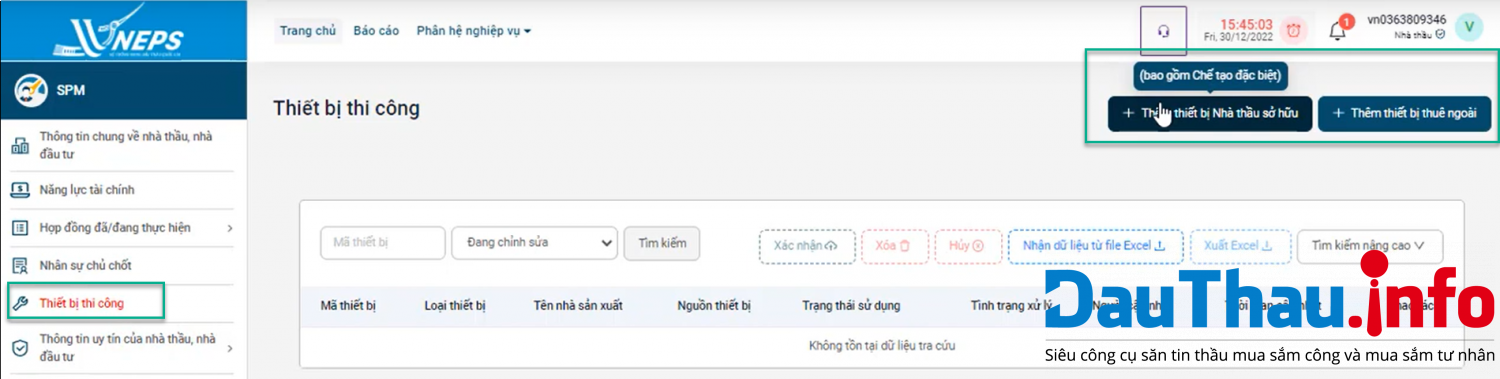
Image 7: Construction Equipment
This is a share from DauThau.info on how to create a contractor capability profile on the new National Online Bidding System. We hope this article will be useful for you. If you have any queries or need assistance during the bidding process, please contact DauThau.info at the hotline 0904.634.288 - 024.8888.4288 or email [email protected] for dedicated advice and support.
Author: Nguyen Thuy
Newer articles
Older articles
If you are still not our member, please sign up.You can use your account on DauThau.info to log in to Dauthau.Net, and vice versa!
Only 5 minutes and absolutely free! Your account can be use on all over our ecosystem, including DauThau.info and DauThau.Net.
 Detailed instructions on how to deposit money and redeem points on DauThau.info
When does contract negotiation fail?
[VIDEO] Guide for bid solicitors to Extend the Bid Submission Deadline
[VIDEO] Guide to Evaluating Bid Documents on the New National Bidding Network System
[VIDEO] Guide to Posting Tender Notices for PPP Projects
[VIDEO] Guide to Posting Prequalification Notices for PPP Projects
[VIDEO] Guide to Responding to Clarification Requests for e-HSMST (E-Prequalification Invitation Documents) of PPP Projects on the New National Bidding Network System
[VIDEO] Guide to Uploading the Shortlist for PPP Projects
Detailed instructions on how to deposit money and redeem points on DauThau.info
When does contract negotiation fail?
[VIDEO] Guide for bid solicitors to Extend the Bid Submission Deadline
[VIDEO] Guide to Evaluating Bid Documents on the New National Bidding Network System
[VIDEO] Guide to Posting Tender Notices for PPP Projects
[VIDEO] Guide to Posting Prequalification Notices for PPP Projects
[VIDEO] Guide to Responding to Clarification Requests for e-HSMST (E-Prequalification Invitation Documents) of PPP Projects on the New National Bidding Network System
[VIDEO] Guide to Uploading the Shortlist for PPP Projects


